
acre logo 4 HIFIS Masterclass
⌘K
Register
Student Directory
Register
iImplementation
Implementation Masterclass
tTerm 1: Planning
tTerm 2: Staff & Rights
tTerm 3: Fine-Tuning
tTerm 4: Launch
aAdministration
aAdministration Masterclass
bBasic HIFIS Configuration
cClient Files
sService Modules
hHIFIS Management
aAdvanced HIFIS Use
Student Directory
Favorites
History
Term 2 - Team

Implementation Masterclass | Term 2: Staff & Rights

1 module 1 lesson

Term 2 of the HIFIS 4 Implementation Masterclass is all thinking about what your staff (or, as we will begin to call them, users) will be doing in HIFIS 4 on a day-to-day basis. What will they be entering in? What data will they need to be able to access? What tasks will they need to complete? How will they be using the software?

This phase is critical in making sure that your staff will be able to do their work as efficiently and seamlessly as possible. We're going to think through how users will interact with and experience HIFIS 4, and assign them rights so that they can complete their assigned tasks.

SDLC

If you're familiar with the concept of the System Development Life Cycle, we're going to be covering the third phase - Design - in this course. If you're not familiar with the concept, take a look at the diagram below. At a really high level, it shows you what your path will be to HIFIS 4 implementation.

Target Audience

At the start of this course, we assume that you:

  • Have a designated HIFIS 4 Implementation Project Team with roles & responsibilities assigned
  • Have community buy-in from your Partner Agencies for this project
  • Have a mechanism by which you can solicit feedback from your Partner Agencies (i.e. HIFIS Advisory Group)
  • Have a good understanding of what your Partner Agencies do in HIFIS, what data they need to collect, and what they need to report out on
  • Have a server set up to host HIFIS, and a testing, sandbox, or development environment ready to use (if you don't, get on that ASAP because you will need it by the end of Term)
  • Do not have your legal agreements in place (i.e. data sharing agreements and consent), but have begun working on them and they're taking shape
  • Are at least 4 months from your planned launch date

Learning Objectives

By the end of this course, you will:

  • Know what data you'll be collecting and sharing
  • Know what staff that will be using HIFIS 4
  • Have identified the roles these staff fulfill
  • Have identified what business functions (tasks) each of these roles need to complete
  • Understand how user rights work in HIFIS 4
  • Have a draft set of rights templates that allow staff of a particular role to complete the required business functions
  • Have created a set of dummy user accounts for the identified staff roles, and know how to set up real users
  • Be ready to begin user acceptance testing using your dummy user accounts

Important Note

In order to succeed in this Term, it's strongly recommended that you have commitment from your HIFIS 4 Advisory Group to be available and responsive over the duration of this course.

This may mean scheduling regular - even weekly - meetings for the near future. It may mean having a big HIFIS 4 workshop to hash things out.

Whatever the format will take, you're going to be having a lot of discussion as a community as you discuss how their staff will be using the software, who will be able to access each data point, and how some processes may need to change.

If your HIFIS Advisory Group is not currently in a position to be able to provide you with timely input, you will have difficulty staying on track this Term.

Already have access? Please login.
Week 1: Staff Roles

This week, we are going to be talking a lot about staff. Specifically, the staff that work at your Partner Agencies, most of whom deliver services to the service recipients in your system. Even more specifically, we're going to talk about the staff that are going to need to login to HIFIS, who we're going to call users.

social-groups

Staff Roles
Week 2: Data Sharing & User Rights

This week, we are going to be beginning to talk about what our different staff roles can do and see in HIFIS 4. This is governed by their user rights. Any time in HIFIS 4 when you can say something like "my staff need to be able to..." then you are actually talking about user rights!

chlimage_1

Data Sharing in HIFIS 4
User Rights
Access to personal information
Week 3: Shelters

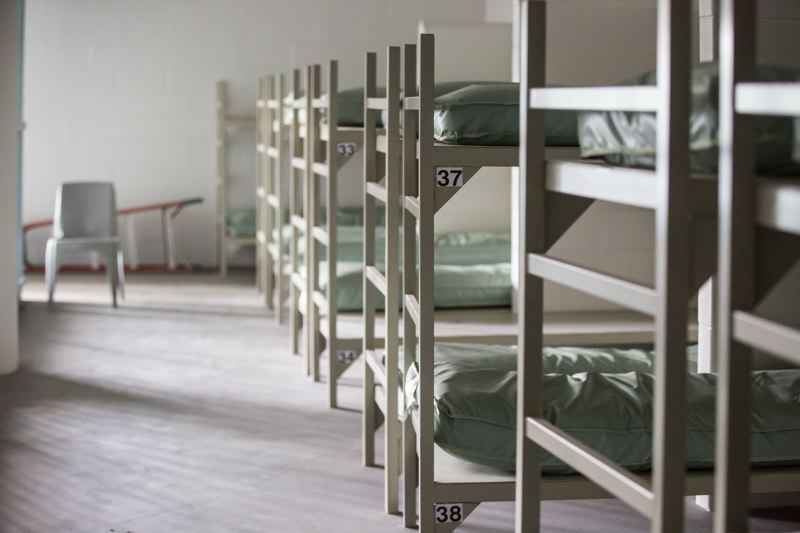
In this section, we're going to learn about the modules most relevant for shelters and other similar programs such as transitional housing, residential detoxification programs, motel vouchers, and so on.

shelter 3

🛌Admissions Module
⤴️Diversion Module
🧹Chores Module
💊Medication Dispensing Module
Week 4: Housing-Based Case Management

The modules in this section have to do with finding housing for clients and helping them keep their housing once they're housed.

Keys In Door

🌡️Assessments Modules
🧙‍♂️Case Management Module
🏠Housing Placement Module
🏚️Housing Loss Prevention Module
Week 5: Light Touch Services
🧦Goods & Services Module
👥Group Activities Module
🗺️Outreach Map
⛺Encampments Module
🥦Food Banks Module
Week 6: Service Interruptions

This week, we're going to be reviewing service interruptions. A "service interruption" is not an official term you would see anywhere in HIFIS. However, it is being used this week to help provide context and information for some related ideas.

photo-1580265862291-4251b8c7e836

↩️Turn Aways Module
⛔Service Restrictions Module
🚒Incidents Module
🦺Conflicts Module
Week 7: Housekeeping & Creative Solutions

This week, we're talking about some housekeeping functions. Things like tracking appointments and waiting lists. We're also going to talk about what to do about the program areas you have and know about that don't neatly fit into one of the modules we've covered.

sticky-notes

😷Appointments Module
📞Calls & Visits Log Module
🛅Storage Module
⏳Waiting Lists Module
Square Peg, Round Hole
Week 8: User Testing & Feedback

There are two main things we are going to be covering this week: putting everything together into a rights template, and then allowing users to test out those rights. You're still early on in your implementation journey, so how we're going to let our users test the rights is by creating some dummy user accounts in a development environment, and then hosting an event called user acceptance testing to collect feedback.

getting-started-user-acceptance-tests-featured-image

Rights Templates & User Templates
User Accounts & Dummy Users
User Acceptance Testing
Bonus: Point in Time Counts

One thing that's not covered in the official content for this term is Point in Time Counts. That's because front line staff don't spend a lot of time doing PIT counts on a regular basis, so you only need to think about PIT counts in HIFIS once in a while.

HomelessCount2-800

acre logo 4 HIFIS Masterclass
Implementation Masterclass
Term 1: Planning Term 2: Staff & Rights Term 3: Fine-Tuning Term 4: Launch
Administration Masterclass
Basic HIFIS Configuration Client Files Service Modules HIFIS Management Advanced HIFIS Use
Customer service
Terms and conditions
Copyright © 2026 ACRE Consulting